Table of Contents
Your phone buzzes. A lead just replied on WhatsApp asking about pricing. You answer fast because that’s what you do. Then three days later someone asks what that lead said and you’re scrolling through your personal chat history trying to remember which thread it even was.
That’s the problem whatsapp crm integration is built to fix. Once you connect whatsapp to crm the conversation stops living on someone’s phone and starts living where your whole team can see it. This piece walks through what whatsapp integration actually means for a crm system, which platforms handle it best and how to set the whole thing up without breaking anything on day one.
If you run a small team or a full sales floor the same question comes up. How do you use whatsapp without losing every detail the moment the chat closes. That’s what we’re solving here.
What Is WhatsApp CRM Integration
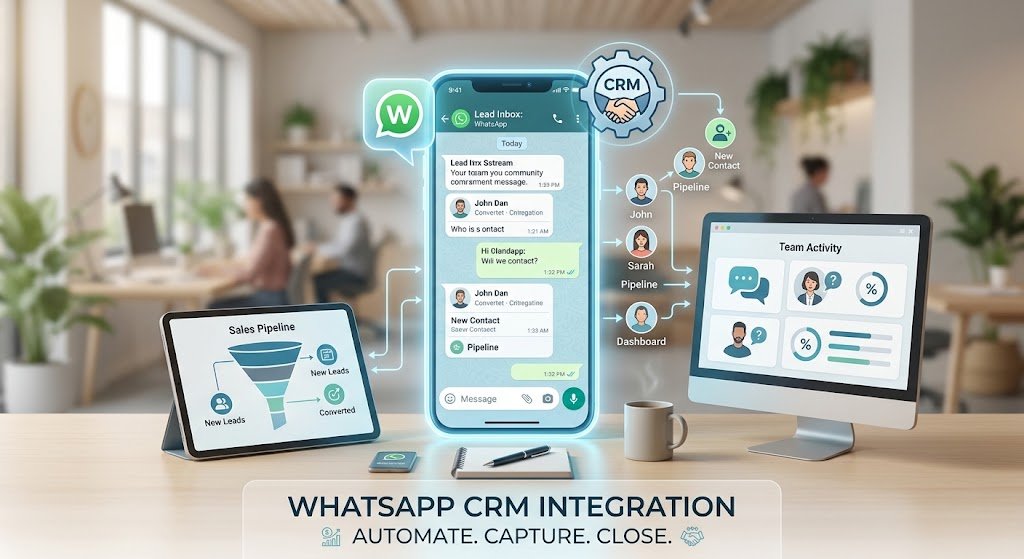
WhatsApp crm integration is the connection between your WhatsApp Business account and your customer relationship platform so that every message, contact and conversation gets logged automatically inside your crm system instead of staying trapped in the app.
In plain terms it means your sales team and your support staff can see the same whatsapp conversations your customers had with anyone else on the team. No more asking a coworker to forward a screenshot. The integration with whatsapp pulls contact details, chat history and even file attachments straight into the crm platform where deals and tickets already live.
Why This Matters More Than People Think
A lot of teams still treat whatsapp business like a side channel. Personal phone, personal number, no record anywhere else. That works fine until someone goes on leave and takes the whole conversation history with them.
A single whatsapp chat can carry weeks of back and forth. Once that context lives within whatsapp only, it disappears the moment someone deletes the app or switches phones.
Why Integrate WhatsApp with Your CRM
Teams integrate whatsapp with your crm for three reasons mainly. Faster lead response, better record keeping and less chasing coworkers for context that should already be visible.
WhatsApp Lead Capture Inside Your CRM
When a new contact messages your business number, whatsapp lead capture crm tools create a record automatically instead of waiting for a human to type it in. That single step is honestly the biggest time saver most teams notice in the first week. A lead that used to sit in someone’s inbox until Monday now shows up as a pipeline card the moment they say hello.
Logging Every Conversation for Later
Log whatsapp chats in crm and you get something most teams didn’t have before, a searchable record of every whatsapp conversation tied to a real contact. Need to check what a customer asked six weeks ago? It’s there. Every whatsapp conversation gets timestamped and attached to the right account, so nothing gets lost when staff change shifts or leave the company.
Customer Support Gets Full Context
Customer support teams benefit the most from this in our experience. A support agent picking up a whatsapp chat can see the customer’s order history, past tickets and prior whatsapp messages in one screen instead of asking the customer to repeat themselves for the third time.
Businesses running whatsapp automation for their support queue often pair it with this kind of integration so bots handle the repetitive questions and humans jump in only when needed. That combination tends to cut response times without adding headcount.
The idea is simple, automate the repetitive replies and save the human time for conversations that actually need a person. Plenty of whatsapp crms are leveraging whatsapp automation this way now, and it’s not just the big enterprise players doing it anymore.
Native vs Third Party WhatsApp CRM Integration
The short answer is native whatsapp integration connects directly through the official WhatsApp Business Platform while third party whatsapp tools sit in between as a middleman app. Native tends to be more stable and compliant. Third party tools tend to be faster to set up but come with extra monthly fees and occasional message delays.
Here’s a rough comparison based on what we’ve seen across client setups.
| Setup Type | Setup Time | Reliability | Access to Whatsapp Business API |
|---|---|---|---|
| Native integration | Slower, needs Meta verification | High, official channel | Full official whatsapp business api access |
| Third party whatsapp connector | Fast, often same day | Medium, depends on vendor uptime | Limited, routed through vendor |
| Bolt whatsapp app | Fastest | Low to medium | None, uses regular whatsapp app only |
If your crm doesn’t offer native whatsapp integration out of the box, a bolt whatsapp add on can get you moving quickly. Just know you’re trading some reliability for speed, and that trade off matters more once your message volume grows.
Crms with native whatsapp support tend to hold up better once your volume grows past a few hundred chats a month. Not every plan supports whatsapp at every pricing tier either, so it’s worth checking that detail before you commit to a provider.
Best CRM with WhatsApp Integration Compared
Picking the best crm with whatsapp integration really comes down to what your team already uses and how deep you need the connection to go. Here’s how the main options stack up.
When people ask what the best whatsapp setup looks like for a crm, the honest answer depends on team size and budget. If you’re trying to integrate whatsapp with your crm for the first time, start by checking whether the provider offers a native whatsapp api connection or needs a separate workaround app.
HubSpot WhatsApp Integration
Hubspot whatsapp integration works through app marketplace connectors that link your whatsapp business account to the hubspot dashboard. Once it’s set up your sales team can send and receive messages right from a contact record, and every reply gets logged automatically against that deal. For teams already living inside hubspot for email and pipeline work, this keeps everything in one place instead of bouncing between apps.
Zoho CRM and WhatsApp
Zoho crm takes a similar approach through its official whatsapp cloud api connector. If you’re already running zoho for sales and inventory, adding whatsapp on top means your team doesn’t have to learn a second tool just to message customers. Integration with zoho tends to be a natural next step for businesses that picked zoho for its price point in the first place.
Salesforce, Monday and Lightweight Options
Salesforce or hubspot both work for larger sales teams that need heavier reporting. Monday crm and other lightweight crm tools are worth a look if you just need basic contact tracking without the enterprise price tag. Crms like hubspot and crms like zoho sit in the middle, solid features without the steepest learning curve.
Whether you end up going with hubspot or zoho really comes down to what your team already uses day to day. A good crm brings every channel into one place instead of scattering conversations across five different apps, and that’s really the whole point of finding the right crm in the first place.
| CRM | Native WhatsApp Integration | WhatsApp Business API Support | Best For |
|---|---|---|---|
| HubSpot | Yes, via marketplace | Yes | Growing sales teams |
| Zoho CRM | Yes, cloud api connector | Yes | Budget conscious businesses |
| Salesforce | Partial, needs add on | Yes | Large enterprise teams |
| Monday CRM | Limited | Via third party | Lightweight, simple tracking |
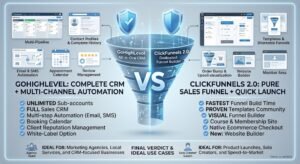
| GoHighLevel | Yes | Yes | Agencies running client pipelines |
Agencies managing multiple client pipelines often lean toward platforms like GoHighLevel because the automation layer sits closer to the messaging itself. If that setup sounds like what you need, our team’s gohighlevel automation work covers exactly this kind of build.
How the WhatsApp CRM Integration Works
Crm integration with whatsapp sounds complicated on paper, but in practice a good whatsapp business integration just means two systems talking to each other automatically. At a basic level the integration works by linking your whatsapp business number to your crm through an api integration, then routing messages both directions automatically.
- You connect your whatsapp business account or apply for official whatsapp business api access.
- Meta verifies your business, which can take anywhere from a few hours to a couple of weeks.
- The crm maps your whatsapp contacts to existing customer records or creates new ones.
- Whatsapp messages start flowing into the crm dashboard where your sales team and support staff already work.
That’s it in broad strokes. The tricky part is usually step two, since Meta’s verification process is the one piece nobody fully controls.
How to Connect WhatsApp to Your CRM Step by Step
Here’s the process most businesses go through when they connect whatsapp to their crm for the first time.
- Get access to the whatsapp business app or apply for whatsapp business api if you need higher message volume, then connect a whatsapp business account to whichever crm you pick. Getting full access to whatsapp business api can take longer than people expect, so build that delay into your timeline.
- Choose a crm that supports linking a whatsapp business account directly, or pick a lightweight crm with a whatsapp add on.
- Authorize the connection so the integration connects your whatsapp business number to your crm properly.
- Send a test message to confirm you can send and receive messages directly inside the crm.
- Set routing rules so whatsapp conversations land with the right person on your sales team or support desk.
Skip step four and you’ll find out the hard way when a real customer message goes unanswered because nobody was watching the right inbox.
Using WhatsApp Inside the CRM Day to Day
Once it’s running, whatsapp within your crm becomes part of the normal workflow instead of a separate task. Reps message leads directly inside the crm dashboard, and every reply stays attached to that deal record automatically.
Whatsapp sales conversations that used to disappear into someone’s personal phone now stay visible to the whole team. Whatsapp data tied to a deal, like a customer asking about delivery timing or a specific product question, shows up right next to the deal notes instead of getting mentioned once in a meeting and forgotten.
This is also where things get honest. Not every team loves having whatsapp messages directly inside the crm, especially reps who liked keeping customer chats on their own phone. That’s a real adjustment, not just a technical one.
Everything happens within the crm now, not on a personal phone that only one person can access. Some reps still like replying directly inside whatsapp before they check the crm record later, and that’s fine as long as the message logs whatsapp directly into the right deal afterward. Good integration turns whatsapp from a side channel into a real part of the sales process. Channels like whatsapp are where customers already spend their day, so meeting them there just makes sense.
What If Your CRM Doesn’t Offer Native WhatsApp Integration
If your crm doesn’t offer native whatsapp integration you’ve basically got two paths. Switch to the right whatsapp crm built for this from the start, or add an automation layer on top of what you already use.
For teams that don’t want whatsapp without some kind of automated qualification step, a dedicated whatsapp automation setup can bridge the gap. It handles the first response, qualifies the lead and hands off to a human rep once the conversation needs a real person. We’ve built this exact kind of flow through our whatsapp automation for business service for clients who weren’t ready to switch their entire crm just to get whatsapp support.
Choosing a crm at this stage means weighing switching costs against staying put and bolting something on. Neither answer is wrong, it depends on how central whatsapp already is to your sales process.
WhatsApp Marketing and Sales Use Cases via CRM
Beyond support, whatsapp marketing through a connected crm opens up segmented outreach that regular whatsapp broadcasting can’t match. Because contacts are tagged inside the crm, a whatsapp marketing strategy can target only customers who bought a specific product last month instead of blasting the entire list.
Whatsapp marketing campaigns run this way tend to perform better because they’re personalized, not generic. The power of whatsapp crm here is that you’re messaging customers via whatsapp based on real purchase or interaction data, not guesswork.
This is where a proper ai lead generation setup pairs naturally with whatsapp, since qualified leads from ads or outreach can flow straight into whatsapp conversations without a manual handoff.
WhatsApp and Instagram in One CRM
A smaller point but a useful one, several crm platforms now let you manage whatsapp and instagram messages from the same inbox. If your business already runs an instagram page for sales inquiries, having both channels inside one crm dashboard means fewer tabs open and fewer missed messages.
Crm capabilities like this vary a lot though. Some platforms handle it well, others treat instagram as an afterthought bolted on after whatsapp was already built. Worth checking before you assume it’s included. Businesses running chatbots across both channels often use a single ai chatbot for business setup to handle first response on whatsapp and instagram together, which keeps the workload light for human staff.
Choosing the Right CRM for WhatsApp Integration
Choosing the right crm for whatsapp support comes down to four things. Whether it offers native whatsapp integration, how deep the api integration goes, whether the crm dashboard is something your team will actually use daily, and what it costs at your current volume.
A crm solution that unifies whatsapp, email and phone in one dashboard tends to age better as you grow. A crm that only bolts on whatsapp as an afterthought usually shows its limits once your message volume climbs past a few hundred conversations a month.
Here’s a quick checklist before you commit to any crm software for this.
- Does it support whatsapp natively or through a third party whatsapp app.
- Can your sales team send and receive messages without switching tabs.
- Does pricing scale reasonably as your whatsapp contacts list grows.
- Is official whatsapp business api access included or an extra cost.
There are plenty of whatsapp tools out there, but not all of them actually talk to your crm the way you’d expect. Customers messaging whatsapp via their phone expect a quick reply whether your systems are connected or not, so don’t let the tech decision slow down your response times. In our experience the integration of whatsapp into daily workflow takes about a week or two to feel normal for most teams, and after that nobody wants to go back to checking two separate apps.
If none of your current tools tick these boxes and you’d rather have someone set this up properly than trial and error it yourself, our team can walk through your specific setup. Reach out through our contact page and we’ll tell you honestly whether integration or a lighter automation layer fits your case better.
Let’s take the busywork off your plate.
Book a free 30-minute call and we’ll map out exactly where automation can save you hours every week — no pressure, no jargon.
Frequently Asked Questions
What is whatsapp crm integration?
It’s the connection between your whatsapp business account and your crm system so messages, contacts and chat history sync automatically instead of staying stuck inside the whatsapp app alone.
How do I connect whatsapp to crm?
You link your whatsapp business account through your crm’s native connector or a third party whatsapp app, then authorize the connection so messages start flowing both directions.
Is there a hubspot whatsapp integration available?
Yes, hubspot supports whatsapp through marketplace connectors that log messages against contact records automatically.
Can I log whatsapp chats in crm automatically?
Yes, once integration is set up every whatsapp conversation gets attached to the right contact record without manual entry.
What is whatsapp lead capture crm and how does it work?
It automatically creates a lead record the moment someone messages your business number on whatsapp, saving your team from manual data entry.
Does zoho crm support whatsapp natively?
Zoho crm connects to whatsapp through its official cloud api integration, letting teams send and receive messages inside the zoho dashboard directly.
What’s the difference between native whatsapp integration and a third party whatsapp app?
Native integration connects directly through the official whatsapp business platform. A third party whatsapp app routes messages through an outside vendor, which is often faster to set up but less reliable long term.
Do I need whatsapp business api or is the whatsapp business app enough?
The whatsapp business app works fine for low volume, one person teams. Once you need multiple agents or automation, whatsapp business api access becomes necessary.
Which is the best crm with whatsapp integration for a small business?
For most small businesses, hubspot or zoho cover the basics well without heavy setup costs, though a lightweight crm can work if your needs are simple.
Can my sales team send and receive messages inside the crm directly?
Yes, that’s the entire point of the integration. Reps message leads from the crm dashboard and replies land back in the same thread automatically.
What if my crm doesn’t offer native whatsapp integration?
You can either switch to a crm built for whatsapp from the start or add a whatsapp automation layer that connects to your current system.
Is whatsapp cloud api free to connect to a crm?
The api itself has usage based pricing from Meta depending on message volume and country, though many crm platforms include basic connection at no extra software cost.
Can I use whatsapp and instagram in the same crm inbox?
Many modern crm platforms support both channels in one inbox, though the quality of that instagram support varies quite a bit between providers.